











MetaTrader 5 by MetaQuotes
GarnetSync for MetaTrader 5
GarnetSync keeps a session open with your MT5 server through its Web API. Every deposit, withdrawal and credit is written down before it's sent, carries a reference of its own, and goes out exactly once, even when MT5's answer is lost on the way back.
Deposit #7F3K9QX2M4PA
2,500.00 USD to account 5100421
- Recorded14:02:07A row in the database, written before anything goes to MT5.
- Sent14:02:07The reference travels in the deal comment.
- No answer14:02:37MT5's reply never arrived. Nothing is sent again on a guess.
- Searched14:03:41At least a minute on, the server's deals are searched for the reference.
- Found: deal 452109314:03:41Settled from what MT5 booked. Sent once.
Re-sent only once proven absent, 3 sends at most. Still unsettled after 24 hours, it goes to a person.
Exactly once
A deposit goes out once, even when MT5 goes quiet.
A lost answer is where a back office books a deposit twice. GarnetSync writes the operation down first, and proves what happened on the server before it sends anything again.
- 01Written down firstEach balance operation is a row in the database before anything goes to MT5.
- 02A reference of its ownIt travels in the deal comment as Deposit #7F3K9QX2M4PA: 12 characters that name nobody.
- 03Proven absent, then re-sentIf an answer is lost, the server's deals are searched for that reference at least a minute later. It's sent again only once proven absent, and never more than 3 times in all.
- 04A person after 24 hoursStill unsettled a day later, it goes to Needs a person, with what to look for in MT5.
The reference, in the deal comment
Deposit #
Proven on a live server's demo groups
On a live MT5 server's demo groups, MT5 answered a test deposit unlike its own documentation. The bridge found the deposit by its reference and never sent it twice.
In step with your server
Your book, seconds behind the server.
The bridge reads your server on four clocks and pushes the trading desk after every pass.
- Deposits, withdrawals and new accounts recorded while the bridge is out wait, and go out in order once it's back.
- A refused sign-in isn't retried until someone saves the connection again, so the bridge can never trip MT5's lock-out.
- Accounts show when they were last seen, never 'online now': MT5's Web API can't tell.
- Market watch prices up to 20 symbols from your own server, never a third-party widget, with candles from M1 to H1.
The bridge, reading your server
- Pricesevery second
- Deals, positions and ordersevery 5 seconds
- Balances and marginsevery 10 seconds
- Every account on the serverevery 60 seconds
Out of contact for 5 minutes: your managers are emailed, and again when it's back.
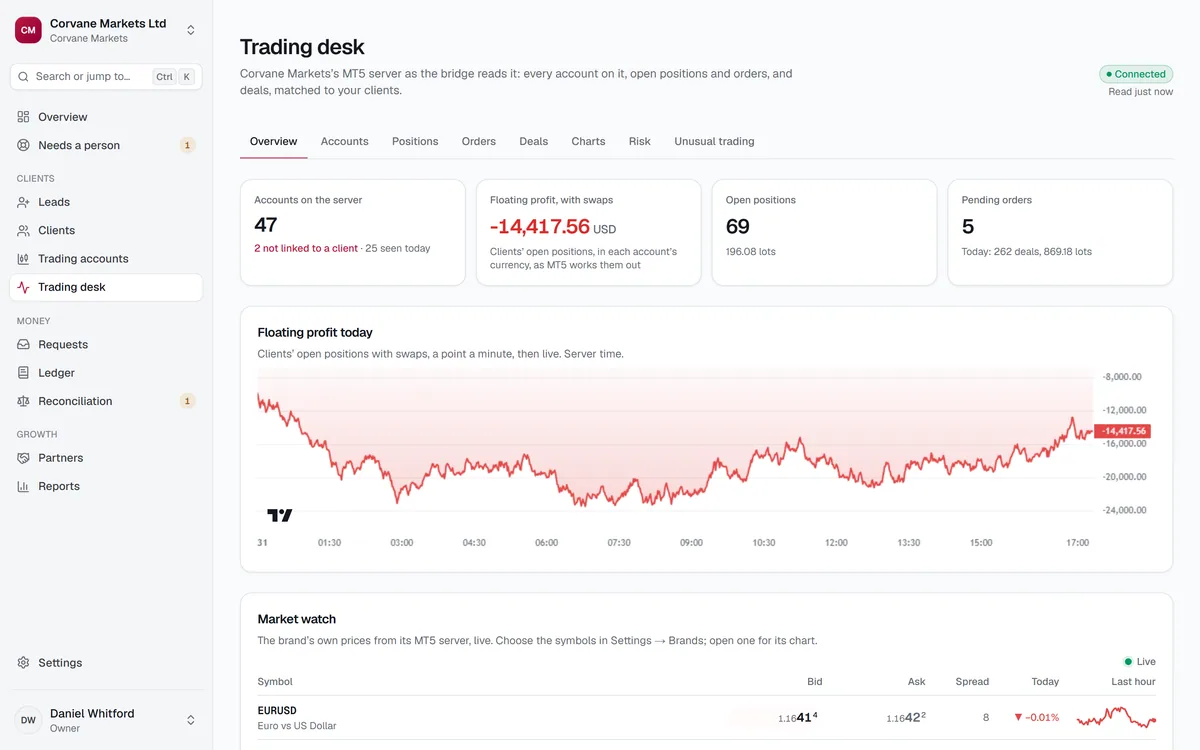
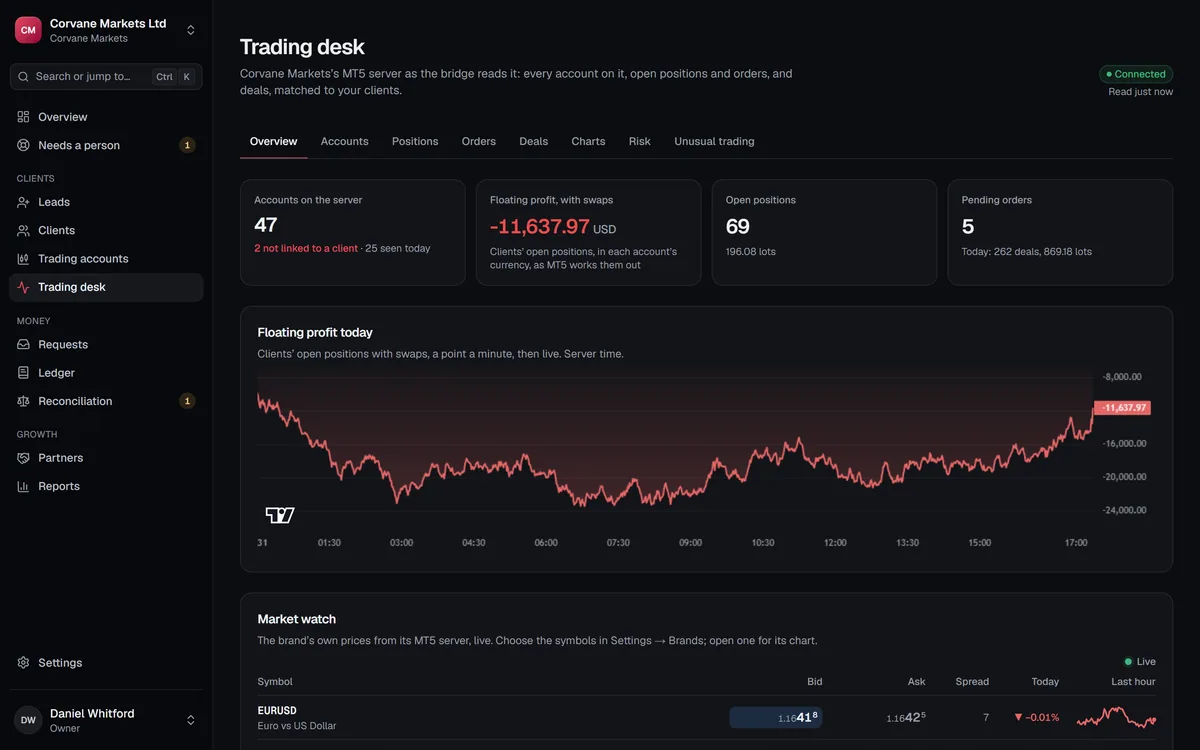
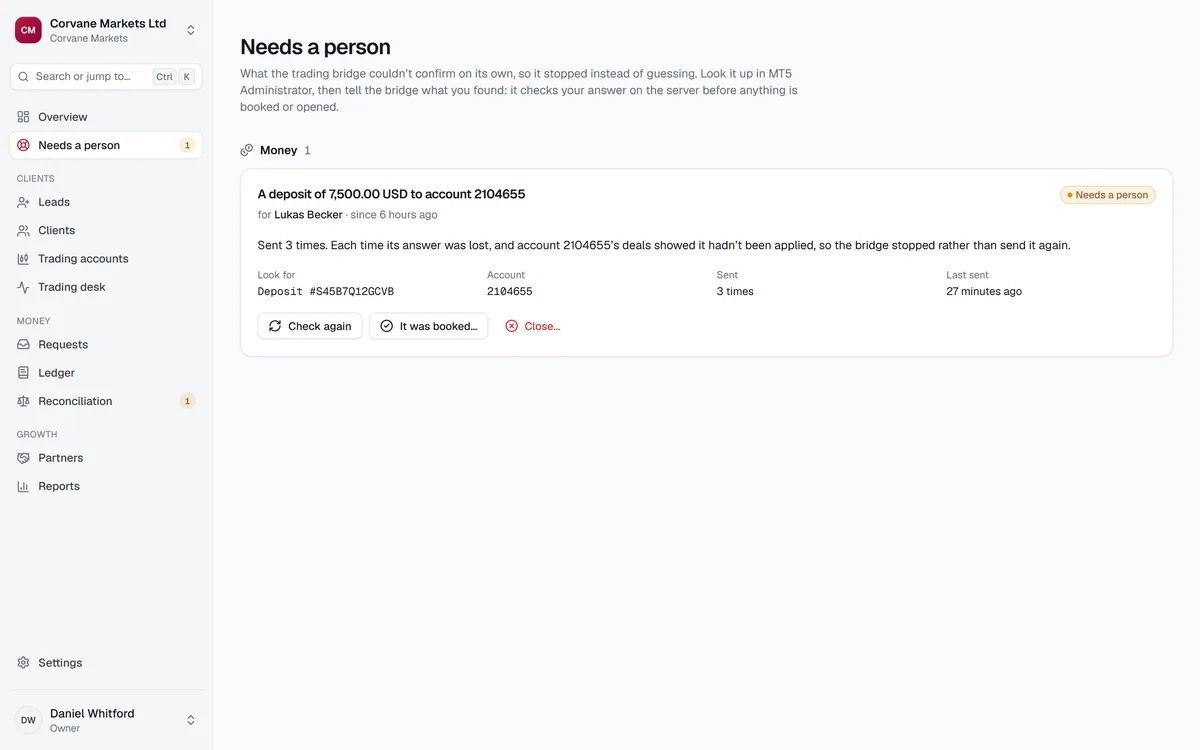
When MT5 doesn't answer
Stuck money goes to a person, with the facts.
Needs a person is a queue with a live count. Each item says what happened, why it stopped, and what to look for in MT5.
- Check again
- Look for it on the server once more, by its reference. It never sends it again.
- It was booked as deal N
- You found it in MT5. The bridge reads that deal and settles only if it matches.
- Close
- It never reached the server. The bridge proves the reference absent first, and a deal of the same kind and amount booked by hand since stops the close.
Every answer takes a fresh authenticator code and a note, and no answer ever sends the money again.
Least privilege
A login that can't delete anything.
Your MT5 administrator creates one manager account for GarnetSync, with the rights the CRM uses and nothing more. Its own login means it can be limited, audited and switched off without touching anyone else's access.
Ticked
- Connect using MetaTrader 5 Manager
- Accountsthen Access accounts
- Accountsthen Edit accounts
- Accountsthen Accountant (balance operations)
- Accountsthen Access personal details
- Dealingthen Access orders and positions
- Dealingthen Dealer, only if your desk will close positions
Never ticked
- Any delete right
- Configuration setup
- Administration
- A Role, which replaces every tick with its own
Our fixed IP goes on its IP access list, and MT5 refuses the login from anywhere else. It starts on your demo groups; real groups are added on purpose at go-live.
What this login can do
Sample- See accounts, balances and dealsSeen working 2 minutes ago
- See open positions and ordersSeen working just now
- Post deposits, withdrawals and creditSeen working 3 hours ago
- Change leverage, group, sign-in, trading and archiveNot tried yet. It needs Accountsthen Edit accounts
- Close positions, change stop loss and take profit, cancel ordersMT5 refused it yesterday: tick Dealingthen Dealer for this manager
Send these steps to your MT5 administrator
Your administrator gets the checklist, not a request for a password.
One button on the brand page emails them the seven steps and a secure link to enter the login themselves, so its password never passes through email or chat.
- before the link expires
- 72 hbefore the link expires
- tries, each one counted on your lock-out
- 10tries, each one counted on your lock-out
- open link per brand
- 1open link per brand
Sending it takes a fresh code, because whoever holds the link can set a login. You see it waiting, can cancel it, and are emailed when it connects.
The full checklist, with the reasons- To
- Sam, the MT5 administrator
- Subject
- Connect Corvane Markets's MT5 server
Hi Sam,
Elena at Corvane Markets asked you to connect Corvane Markets's MetaTrader 5 server to GarnetSync, the CRM they use. It works through a manager account of its own.
In MetaTrader 5 Administrator:
- 1.Create a manager account just for the CRM: an account in a managers group under Clients & Accountsthen Trading Accounts, its API password set on its Security tab, then added in Managers. Its own login means it can be limited, audited and switched off without touching anyone else's access.
- 2.In its Permissions, tick Connect using MetaTrader 5 Manager; under Accounts, Access accounts, Edit accounts, Accountant (balance operations) and Access personal details (Name, Location, Address, Email, Phone, General); under Dealing, Access orders and positions.
- 3.Tick Dealingthen Dealer as well if your team will close positions, change stop loss and take profit, or cancel orders from the trading desk.
- 4.Leave everything else off: every delete right, Configuration setup and Administration. Never pick a Role in that dialog: it replaces every tick with the role's own.
- 5.Let it work with your demo groups first. Add real groups on purpose when you go live, so setup and testing never move real money.
- 6.Add our fixed IP address to its IP access list. MT5 refuses the manager login from anywhere else.
- 7.Make sure the access server accepts Web API connections over HTTPS, at a name with a valid certificate (for example mt.yourbroker.com).
Then enter its login and API password on the secure page below. The password is encrypted as soon as it arrives and is never shown again, to anyone.
The link works until the connection succeeds, for up to 10 tries, and expires 72 hours after it's sent.
Questions
MT5, answered.
Which MT5 interface does GarnetSync use?
The MetaTrader 5 Web API, over HTTPS at a name with a valid certificate, from our fixed IP address. Its sign-in works both ways: GarnetSync checks that your server knows the password too, so it's really yours. Nothing is installed on your server.
Does testing the connection change anything on our server?
No. The test signs in, then counts the groups, symbols and accounts the login can see, and writes nothing. Opening accounts and balance operations are checked the first time they're used.
We already have thousands of accounts. What happens to them?
The bridge reads every account on the server every 60 seconds. One the CRM doesn't know shows as Not in the CRM, and Add as client makes a lead from MT5's own data without emailing anyone.
Can two brands share one MT5 server?
Yes. Each brand has one MT5 connection, two brands may point at the same server, and the desk keeps to each brand's own groups. An account belongs to the server it opened on.
Can the desk close positions?
On demo accounts, yes: close a position in whole or in part, set stop loss and take profit, or cancel an order. Every close takes a fresh authenticator code, and the login needs the Dealer right ticked.
Where to next
Connect your MT5 server.
Start on your demo groups: setup and testing never move real money. Real groups go live when you add them.