








Client portal
Your clients see your brand. Never ours.
Sign-up, verification, live and demo accounts, deposits and withdrawals, on your own address and in your colours. A portal domain containing "garnet" is refused, and MT5 passwords are shown only in the portal, after a fresh code.
Client portal: the rules
Your brand, your address.
- 01
Your address
Your brand's own address on a neutral domain, or your own domain, set up with a CNAME and a TXT record as proof. Cloudflare issues the certificate.
- 02
Nothing says GarnetSync
Clients never see our name: a portal domain containing "garnet" is refused, and emails go out under your brand's name.
- 03
Your look, checked for contrast
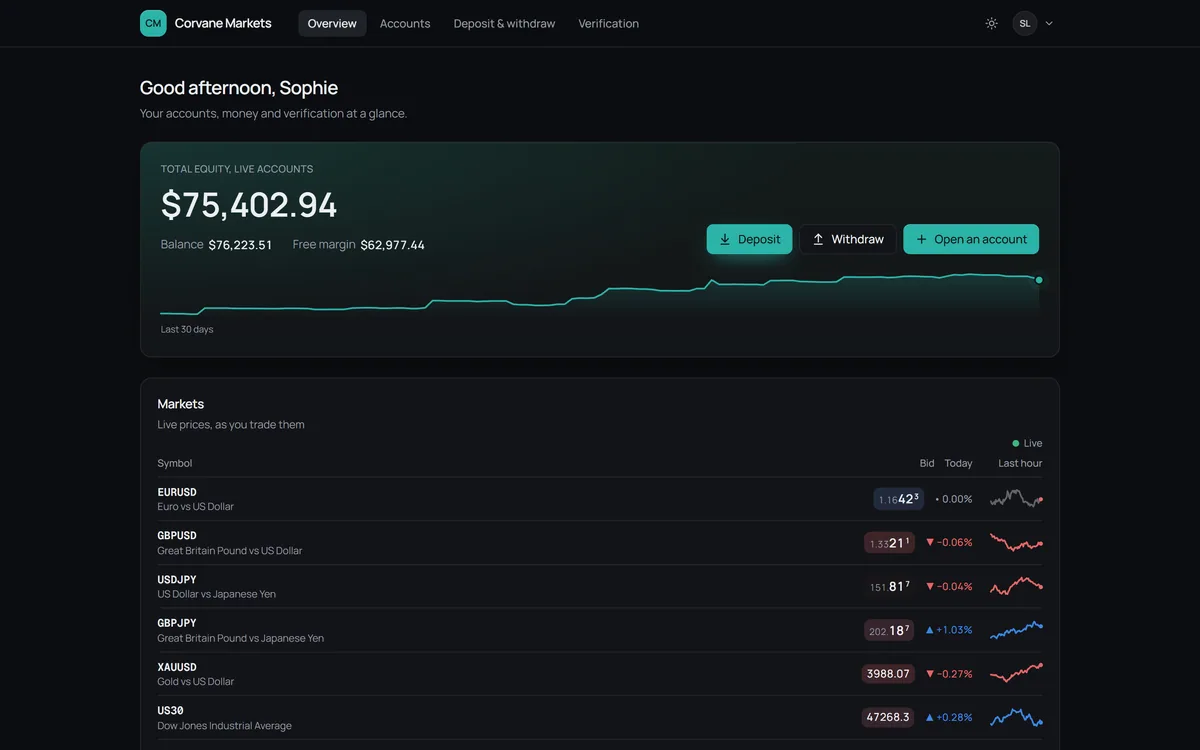
2 presets, 6 fonts, 4 tints, 3 corner styles, 5 Overview cards and your logo. Contrast is checked when you save: at least 3:1.
- 04
Sign-up that keeps bots out
9 fields you configure, a Cloudflare Turnstile check that fails closed, and a one-click email confirmation. The live account then opens through the bridge.
- 05
Sign-in with a second check
A password, plus an emailed code on any new device. Sessions last 12 hours at most and end after 2 hours idle.
- 06
Statistics worth opening
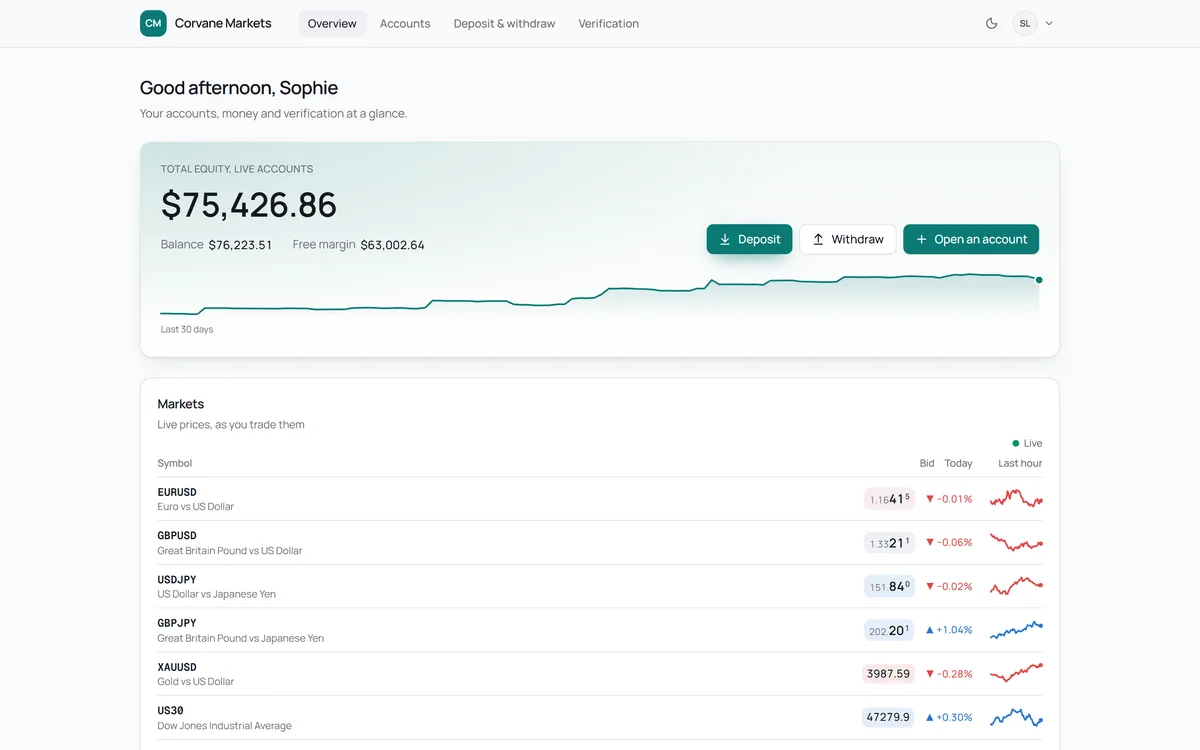
Per account: result, win rate, lots, largest drop and an equity chart. The Overview has an equity hero, market sessions and live prices.
Credentials
The password is in the portal, not the inbox.
A new account's email says where the password is, never what it is. The client proves it's them, the password is checked with MT5, and only then is it shown.
A new account's password
Example- 1. The email
- 2. A fresh code
- 3. Checking with MT5
- 4. Shown
From Corvane Markets
Your live account 2104571 is open
Your password is waiting in your Corvane Markets client area: sign in, open Accounts, and choose Credentials on this account. We'll check it's you first.
No password in this email
Credentials, account 2104571
- Login
- 2104571
- Server
- Corvane-Live
- Password
- Tq8!mZ4wLp
Checked with MT5, then shown. A password changed in MetaTrader is never shown as current.
Accounts
Live and demo accounts, side by side.
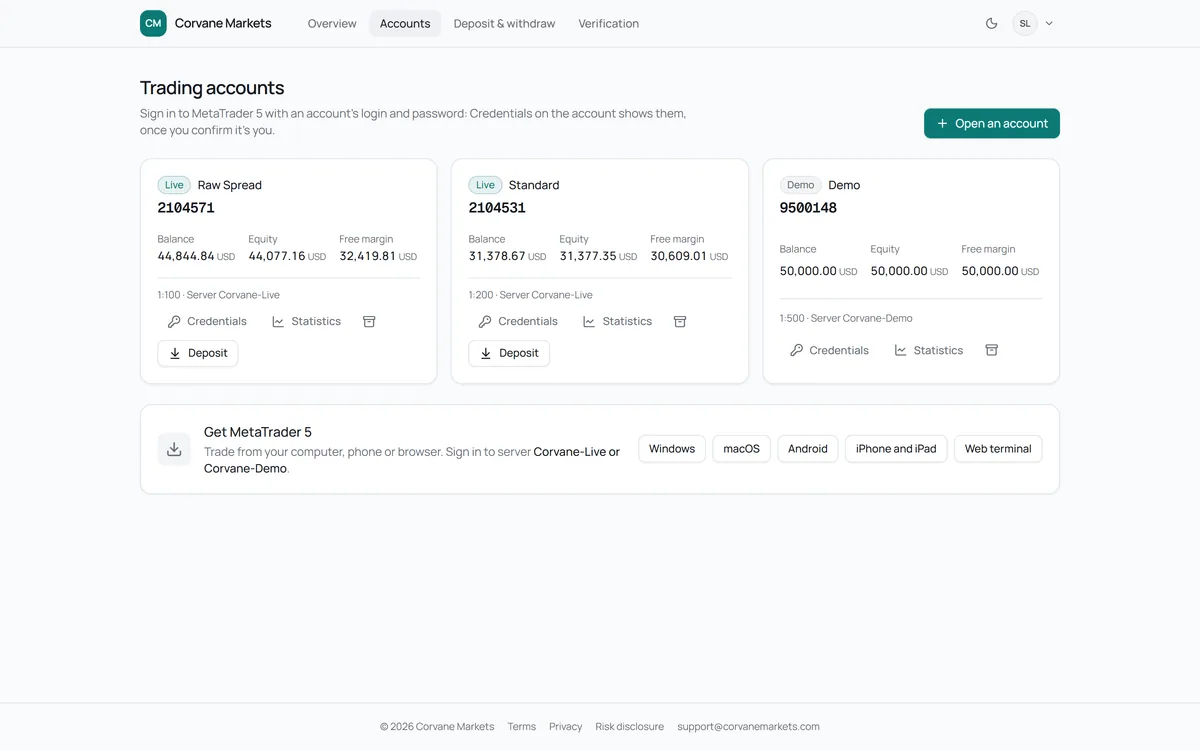
Balance, equity and free margin per account, its server and leverage. Credentials appear only after a fresh code, and an account the client no longer uses can be archived.
- Live and demo in one list
- Result, win rate, lots and largest drop
- Credentials behind a fresh code
Deposits
Your payment details, or a USDT address of their own.
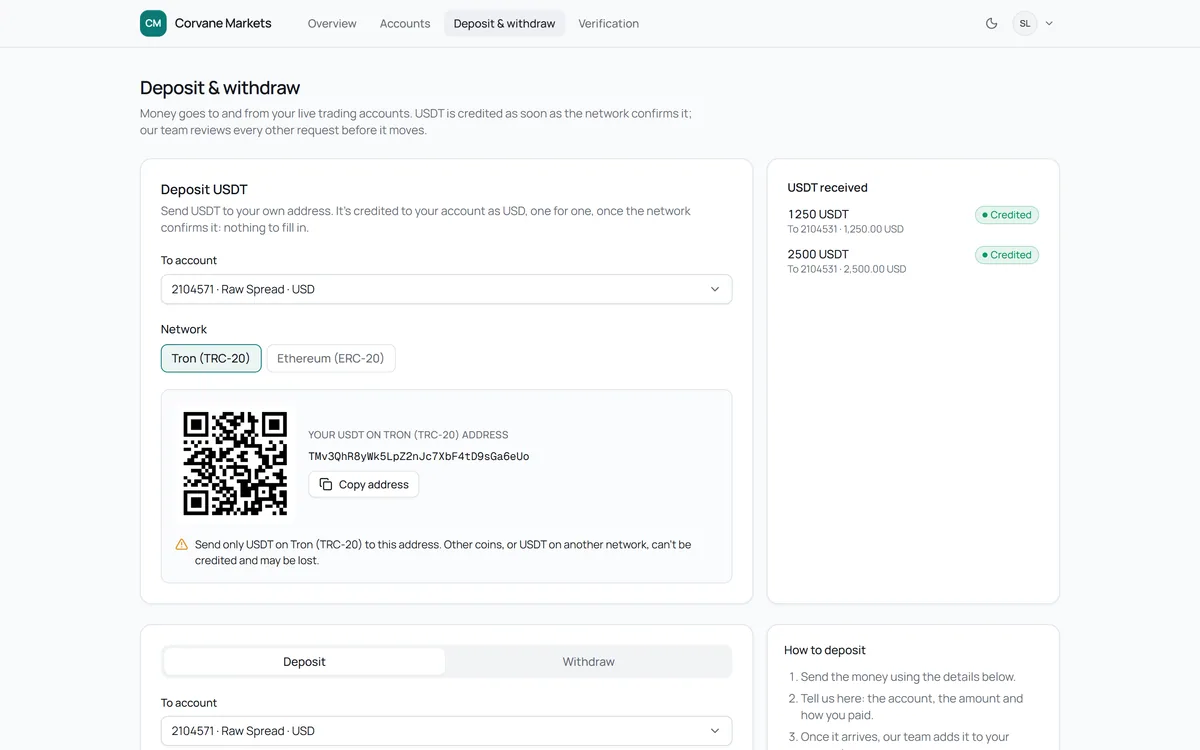
Deposits show the brand's bank or crypto details, or the client's own USDT address for that account and network. Withdrawals open once the client is verified.
- Bank and crypto details you set per brand
- A USDT address per account and network
- Withdrawals once verified
On a phone
The same portal, at phone width.
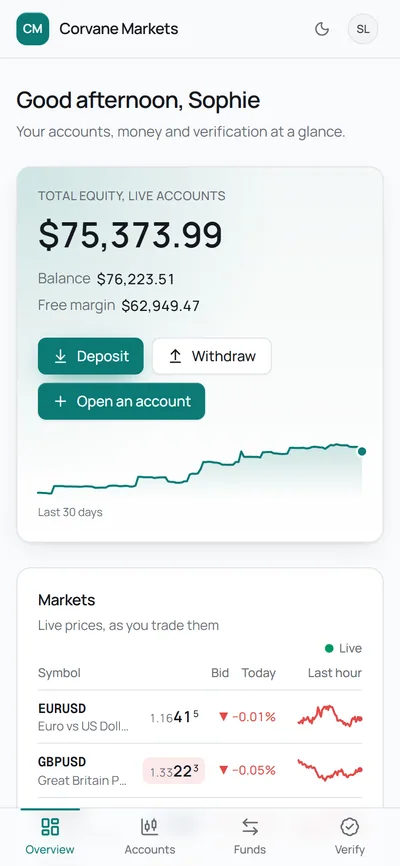
The portal works at phone width, in light and dark: the equity hero first, then accounts, deposits and verification.
- Equity, balance and free margin first
- Market sessions and live prices
- Light and dark
Client portal: questions
Straight answers.
Can the portal run on our own domain?
Yes. Add a CNAME and a TXT record as proof, and Cloudflare issues the certificate. Until then it runs at your brand's own address on a neutral domain.
Will clients ever see the name GarnetSync?
No. The portal refuses a domain containing "garnet", emails go out under your brand's name, and the portal itself never names us.
Where to next
What clients upload, checked.
Verification happens in the portal, and the decision happens in compliance, where approving needs both documents accepted and clean.